Sublustrum Controls
Free-look 3D versus 2008 mouse-edge panning. WASD is expected, not published. Confirm binds in the playtest.
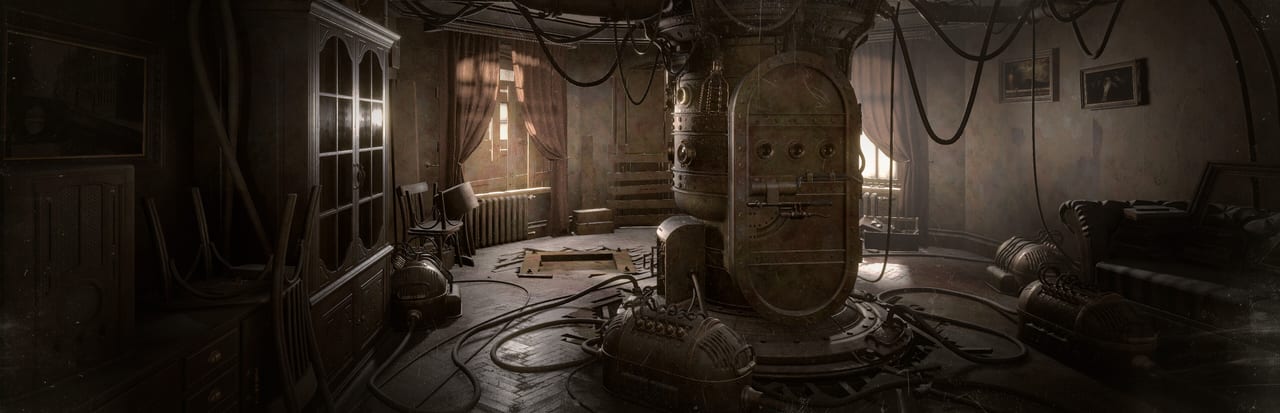
Sublustrum in 2026 is a first-person 3D adventure. You look and you walk. That sounds obvious until you remember what the 2008 original actually was: a first-person point-and-click game on fixed camera nodes, where the mouse dragged the view around a still and a click hopped you to the next photograph. The remake throws that constraint out. Phantomery Interactive is rebuilding locations as spaces you occupy. Brickworks Games is publishing that rebuild for Fall 2026. The finished product is not out. The chapter-one Steam playtest that opened on 4 September 2026 is the place to confirm every bind on this page.
No official WASD table has been published as a final overlay. SteamDB flags controllertagwizard: Yes on app 4151300, which usually means Steam Input is in the pipeline, not that a DualSense prompt set is already certified. Treat everything below as an expectation to verify in the playtest, then file what felt wrong. Pair this article with how to play for the loop (look, read, listen, operate) and with getting started if you still need Request Access more than you need a key list.
2008: mouse-edge panning on nodes
The original Sublustrum / Outcry did not give you a body in a room. You stood on a node. The cursor lived on a composed shot. Moving the mouse toward a screen edge panned a full circle. Left-click hit a hotspot or an arrow and jumped the camera. Right-click opened inventory, notes, and the menu. It was closer to Myst than to a modern walker.
That scheme trained a specific muscle: hunt pixels, do not occupy space. You never truly circled a capsule or walked the length of a hall to hear how a pipe changed. When veterans say they already know the controls, they usually mean they know that old panning grammar. It will lie to you in 2026. The remake’s rooms are 3D. A diary that used to sit in the centre of a pre-baked view can now hide behind a chair you have to walk around.
2026: first-person look and move (expected, not published)
Because the remake is a free-move first-person adventure on PC, the reasonable default is the family every modern PC adventure uses:
- WASD (or arrows) to walk
- Mouse to look
- A key to interact / use
- A key to inspect, zoom, or read, if that verb is separate from interact
- A dedicated inventory / notes key
- Escape for pause and settings
That is an expectation, not a studio PDF. Confirm it in the playtest. Rebind if the client allows it. If interact and inspect are separate, do not mash them as if they were one shooter context action. There is no published tactical sprint. There is no published cover key. There is no published gun.
Do not bring a combat overlay into the brother’s apartment. Sublustrum is not a shooter with a gloomy filter. Psychological pressure and surreal architecture are the threat model. The verbs are walk, look, pick up, read, tune, and operate. If the playtest shows a hold-to-listen or a hold-to-tune prompt, that is the bind that matters. Write your personal layout down; this wiki will update the table when Brickworks ships a final overlay.
Look sensitivity and invert-Y are the first settings to touch if the camera feels drunk. Film grain and vintage-lens presentation can make a too-high sensitivity feel worse than it is. Lower it until you can read a diary without overshooting the page. Mouse acceleration, if present, should be treated as a preference, not as a required puzzle tool.
Steam Input and controllers
SteamDB lists controllertagwizard: Yes for this app. In Steamworks language that flag is strongly associated with the Steam Input controller wizard: the pipeline Valve uses when a game is being prepared to describe actions to pads, Deck layouts, and community configs. It is not the same thing as an official published gamepad table, a DualSense feature list, or a promise that the playtest already has perfect glyphs.
Practical reading:
- Keyboard and mouse remain the safe assumption for a Steam PC first-person adventure until in-game prompts say otherwise.
- If you plug in a pad, test it. Do not assume every menu is fully stick-navigable on day one of a chapter-one playtest.
- If Steam Input is live, you may be able to open the controller configurator from the Steam overlay and map look to a right stick, move to a left stick, and interact to a face button. That mapping is yours to verify, not this wiki’s to invent.
- Console SKUs are still unspecified. Do not import a PlayStation overlay from a database listing.
Report pad gaps in Discord after a session. A missing bind in a first-chapter test is useful feedback. A forum post that claims Full Controller Support because a wizard flag exists is not.
Headphones are a control
They are not on the Steam spec sheet. They might as well be. Sound is how some machines talk. A detuned piano in the professor’s apartment, a bar that stops sounding like noise, a harp string that is almost right — those cues flatten on laptop speakers. DirectX-compatible output is the official audio line on system requirements. A plain stereo headset is the practical extra.
If a puzzle on the sound puzzles page feels like it wants a frequency, raise volume until you can hear the difference between hiss and tone, then change one slider at a time. That is closer to a control scheme than any fire button this game will ever ship.
What you will not bind
No reload. No melee. No ability bar. No ping. No second-player drop-in. Sublustrum is single-player. A friend can sit on the couch and help listen; the software does not host two mice.
No Mac or Linux row is listed. The PC target is Windows 10/11 64-bit. If you are trying to force the playtest through a compatibility layer, you are off the official script. Specs for 720p30 minimum and 1080p60 recommended live on the system-requirements page; hitching on a spinning disk is not a look-sensitivity bug. Put the library on an SSD.
How to confirm this in the playtest
- Request Access on Steam. Access is not automatic.
- Open settings before you treat the first room as a tutorial firing range. Note invert, sensitivity, and any rebind screen.
- Walk a short hall, turn 180, and interact with one object. If look and move fight each other, fix that before you blame a puzzle.
- Put headphones on before you touch an instrument.
- Write down anything unbound, double-bound, or labelled like a shooter.
The first chapter is still a test. The Fall 2026 full game can still change prompts. Use how to play when the room itself is the puzzle, and come back here when the question is which key should have done the job.
Frequently Asked Questions
Quick answers to the most common questions.
Has Phantomery published a final WASD table?
No. Expect first-person look and move, then confirm binds in the playtest. This page is not an official overlay.
How did the 2008 original handle looking around?
Mouse-edge panning on fixed camera nodes, with clicks to hop between shots. The remake is free-move 3D. How to play covers why that change matters.
Is there a combat or shoot binding?
No combat loop is part of the advertised design. Do not look for reload, melee, or a gun. Sound-driven challenges are on sound puzzles.
Will a controller work?
SteamDB lists controllertagwizard: Yes, which likely means Steam Input. That is not a published pad table. Test in the playtest; keyboard and mouse remain the safe default.
Why do guides mention headphones under controls?
Because some machines talk in timbre. Headphones are not a Steam minimum; they are how you hear a correct tone. See system requirements.
Is there a Mac or Linux build to bind?
No Mac or Linux row is listed. Windows 10/11 64-bit is the PC target. Setup steps live on getting started.